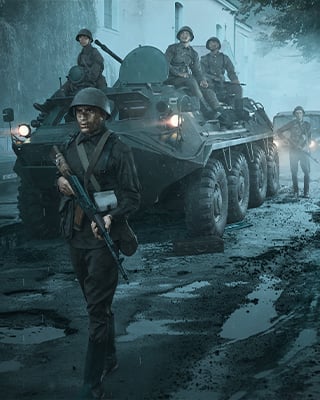

Game Master is a game mode where nothing is planned in advance. One player takes on the role of Game Master and decides what happens next: they place AI units, vehicles and objects, give groups waypoints and steer the action in real time. The mode is the equivalent of Zeus from Arma 3.
Start a Game Master scenario
-
Open dashboard
Open the dashboard of your server. -
Open settings
Navigate to the Settings. -
Enter scenario ID
Enter one of the following scenario IDs in the Scenario ID field:Scenario Scenario ID Game Master – Everon {59AD59368755F41A}Missions/21_GM_Eden.confGame Master – Arland {2BBBE828037C6F4B}Missions/22_GM_Arland.confGame Master – Kolguyev {F45C6C15D31252E6}Missions/27_GM_Cain.conf -
Restart the server
Save the setting and restart your server.
Who becomes Game Master
The following rules apply on a Game Master server:
- A player listed as server admin always has access to the Game Master interface.
- If no Game Master is present, the first player to connect obtains the Game Master role.
- The role cannot be transferred while that player is connected.
Add yourself as admin
-
Stop the server
Stop your server via the dashboard. -
Connect via SFTP
Connect to your server via SFTP. -
Enter SteamID64
Open the fileconfig.jsonand enter your SteamID64 in the"game"section under"admins":"game": { "admins": [ "76561198000000001" ] }The list can contain a maximum of 20 entries.
-
Start the server
Save the file and start your server.
Log in as admin in-game
You can also log in as server admin in-game. To do this, set an Admin Password in the dashboard under Settings. In the game, open the chat – with C in the lobby, with Enter in-game – and enter the following command:
#login YourAdminPassword
Players listed as admin in config.json can also log in with #login without a password. You can find more commands in the guide Become Admin.
Budgets
What the Game Master can place is limited by budgets. They are shown at the bottom right of the Entity Browser:
| Budget | Applies to |
|---|---|
| Object Budget | Objects such as props and compositions |
| AI Budget | AI-controlled units, e.g. soldiers |
| Vehicle Budget | Vehicles such as cars and armored vehicles |
| System Budget | Respawn points, objectives, arsenals, etc. |
Once a budget reaches 100 %, the Game Master cannot place anything more of that type until existing entries are removed. The other budgets are not affected, e.g. vehicles can still be placed when the AI Budget is full.
Save Game Master sessions
If the scenario supports saving, the server automatically creates saves. By default, it creates a save every 10 minutes (autoSaveInterval) and keeps the last 10 (saveRetention). You can adjust both values in the optional "persistence" section under "gameProperties" in config.json as described in the guide Change Scenario Settings.