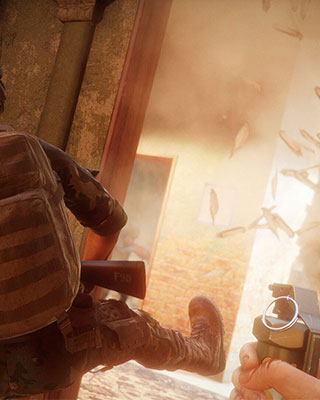

In co-op mode (e.g. Checkpoint) you play together with other players against AI enemies. To do this you set a co-op scenario and adjust the bot and mode settings in Game.ini.
Step 1: Set the co-op scenario
-
Open dashboard
Open the dashboard of your server and navigate to the Settings. -
Set scenario and map
In the Scenario Name field, enter a checkpoint scenario, e.g.:Scenario_Refinery_Checkpoint_SecuritySet the matching map in the Map field (here
Refinery). A full list can be found in Change Scenario.
Step 2: Adjust the co-op settings
-
Stop the server
Stop your server via the dashboard. -
Connect via SFTP
Connect to your server via SFTP. -
Open Game.ini
TheGame.inifile is located in theInsurgency/Saved/Config/LinuxServer/directory. Open it. -
Add the co-op settings
Add the following section and adjust the values:[/Script/Insurgency.INSCoopMode] AIDifficulty=1 bUseVehicleInsertion=True MinimumEnemies=5 MaximumEnemies=40 bBots=True FriendlyBotQuota=8 MaxPlayersToScaleEnemyCount=8Setting Default Description AIDifficulty1AI difficulty from easy ( 0) to hard (1)bUseVehicleInsertionTrueEnemies arrive by vehicle MinimumEnemies5Minimum number of enemy bots MaximumEnemies40Maximum number of enemy bots bBotsTrueEnables AI bots in co-op mode FriendlyBotQuota8Fills the player team with bots MaxPlayersToScaleEnemyCount8Scales the enemy count to the player/bot count -
Adjust checkpoint settings (optional)
For the Checkpoint mode you can additionally use the following section:[/Script/Insurgency.INSCheckpointGameMode] DefendTimer=90 DefendTimerFinal=180 RetreatTimer=10 RespawnDPR=0.1 RespawnDelay=20 PostCaptureRushTimer=30 bForceSoloWaves=TrueSetting Default Description DefendTimer90Time to defend against the counterattack DefendTimerFinal180Extension of the counterattack on the final point RetreatTimer10Time before bots retreat after a counterattack RespawnDPR0.1"Dead player ratio" before the bot team respawns RespawnDelay20Bot respawn delay PostCaptureRushTimer30Time bots rush the cache after destruction bForceSoloWavesTrueEnables the reinforcement waves system from local play -
Start the server
Save the file and start your server.