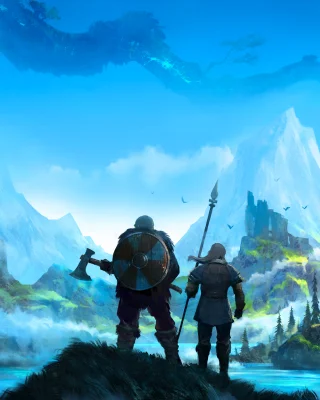
On September 9, 2026, Iron Gate and Coffee Stain Publishing released Valheim 1.0, which ends Early Access. Coffee Stain calls it a "fully fleshed out, complete survival experience".
What is new
- Deep North: Iron Gate calls the new biome "Valheim's ultimate biome". It is larger than any earlier biome. New creatures include the gammeltroll, elakingar and barka, and there is "something ancient deep underground". It also brings the Winding Tunnels and Mörkhalla dungeons and the boss Kall Fimbulbringer.
- Content: 40+ weapons, 4 armour sets, 10+ creatures, 80+ buildable pieces, 20+ new food items and achievements.
- New mechanics: snow, frozen water, a Jotun invasion, a grappling hook, alternate biome versions at the world edges and idols for forge upgrades. Haldor now sells inventory upgrades.
- Comfort: a draw-distance setting, all hair and beard styles available from the start, an overhauled build menu and a Unity engine upgrade. An optional HUD window shows who built each piece.
- Platforms: PC on Steam, Linux, Mac, Xbox One, Xbox Series X|S, PlayStation 5 and Nintendo Switch 2, with full crossplay.
Before launch, the developers recommended starting a new playthrough for the best experience. According to the official 1.0 FAQ, you can keep playing old worlds, though. The new biomes then only generate in areas nobody has explored yet.
What this means for your server
New save format. When a pre-1.0 world loads for the first time, the game converts it to the new save format and makes a backup. Since then, a world is a folder of many files instead of a single file. According to the patch notes, the new system splits world data into chunks so less data is written at once, and it is designed to be resilient against failures in the middle of a save.
Mods. Valheim has no official mod support. According to the FAQ, the developers therefore cannot guarantee that mods work with 1.0, and many need an update from their authors first. If you have used devcommands or mods, patch 1.0.12 added a devcommand that turns achievements back on.
Banlist and whitelist. At launch, the lists only accepted the new ID format such as V_123456789. Since patch 1.0.12, old entries such as Steam_123456789 work again, so you can keep your existing whitelist.
Important server fixes since launch:
| Patch | Date | What changes |
|---|---|---|
| 1.0.12 | September 11 | Banlist and whitelist accept old Steam IDs again. Fixes a crash when accessing a zone that was not loaded. |
| 1.0.14 | September 17 | Fixes biomedata caching, which had stopped players from joining servers. Characters save correctly on servers hosted by someone else again, and terrain changes in multiplayer no longer cause performance and portal issues. |
| 1.0.15 | September 18 | Fixes duplicated terrain that lowered performance. |
| 1.0.16 | September 25 | Raids no longer spawn far too many enemies. Terrain changes in the Deep North now persist. |
| 1.0.17 | October 6 | Fixes a rare bug where splitting a large world save chunk could erase objects. |
| 1.0.20 | October 15 | The dedicated server no longer runs at an uncapped frame rate when a client with v-sync runs on the same computer. Items wrongly marked as "cheated" by a launch bug are clean again. |
| 1.0.21 | October 28 | On Steam, save caching stays in sync when a world is modified outside the game. Also fixes many rare crashes, mostly in multiplayer. |
According to Iron Gate, bug-fix and balance patches will continue. In the post "What a Month!" the developers promised more content updates, without details so far. The 1.0.21 notes also mention an upcoming update that is not network compatible with older versions. By then at the latest, the server and every player need to be on the same version.
Crossplay: according to the patch notes, crossplay keeps working while an update arrives later on some platforms. With 1.0.20, however, Mac App Store players could only join again once that platform caught up. Saves themselves are not synced across platforms according to the FAQ, the exception being Xbox with the PC version from the Microsoft Store.
Your checklist
-
Take a backup
Back up your world before the update, even though the game makes its own backup during conversion. -
Check your mods
See whether your mods have been updated for 1.0. If in doubt, start the server without mods first. -
Update and restart the server
Bring the server to the current version. The world is converted on the first start. -
Check your item stands
Make sure items on stands kept their levels. -
Match versions
Tell your players to update their game as well. If you edit world files by hand, for example when restoring a backup, stop the server first.
Ready to head into the Deep North? You can get your Valheim server with us.