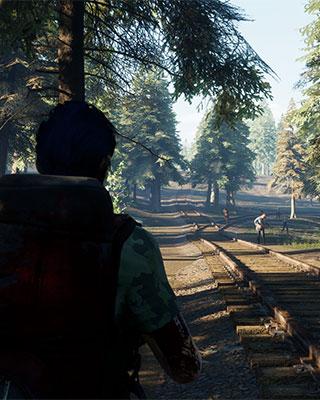

How harsh your server is gets defined in the Game.ini file: the number and strength of the zombies, the length of a day and a year, loot amounts, permanent death and PvP.
Change the settings
-
Stop the server
Stop your server via the dashboard. The settings are only read on server start. -
Connect via SFTP
Connect to your server via SFTP. -
Open Game.ini
Open the following file:/WRSH/Saved/Config/WindowsServer/Game.ini -
Adjust the values
Change the desired lines in the[GameSettings]section. If a line does not exist, add it. -
Start the server
Save the file and start your server.
Settings in the [GameSettings] section
| Setting | Values | Meaning |
|---|---|---|
PVP |
True / False |
Allows players to attack each other |
ZombieAttack |
True / False |
Enables attack waves against player bases |
ZombieAttackDay |
1–30 | Interval between two attack waves in days |
AttackZombieNum |
1–5 | Strength of the attack wave |
ZombieNum |
1–3 | Amount of zombies in the open world |
RunZombiePercent |
0.0–1.0 | Share of running zombies |
ZombieStreng |
0–3 | Strength of the zombies |
YearDay |
Number of days | Length of a year in the game |
DayLength |
45, 90 or 120 | Length of a day in minutes |
PermanentDead |
True / False |
Permanent death – the character is lost on death |
MaterialNum |
0–3 | Amount of material to be found in the world |
ItemSpawn |
Number of days | Interval in which loot respawns in the world |
NPCItemSpawn |
Number of days | Interval in which the NPC stock is refreshed |
VirusFatalityRate |
0.0–1.0 | Lethality of the virus |
GiftBagForNovices |
True / False |
Starter package for new players |
An example of a relaxed PvE server:
[GameSettings]
PVP=False
ZombieAttack=True
ZombieAttackDay=10
AttackZombieNum=1
ZombieNum=1
RunZombiePercent=0.2
ZombieStreng=1
DayLength=90
PermanentDead=False
MaterialNum=3
VirusFatalityRate=0.2
GiftBagForNovices=True
Zombie count
The number of zombies per attack wave is not stored in the [GameSettings] section but in [ServerSetting] – and you change it through the dashboard:
| Setting | Values | Meaning |
|---|---|---|
NumOfZombieSpawn |
25–100 | Number of zombies in an attack wave |