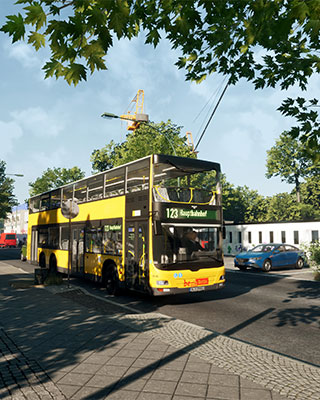

The base map of The Bus is Berlin with the lines TXL, 100, N100, 123, 142, 147, 200, 245 and 300. Additional maps come from DLCs (currently the Hamburg City DLC, selectable in-game as the map Hamburg) or from map mods that you install in the /TheBus/Mods/ folder.
You can change the active map via the Admin Menu or by command in the in-game chat.
How to Change the Map via the Admin Menu
-
Join the Server
Join your server in-game, see Join Server. -
Open the Admin Menu
Open the pause menu in-game and select the Admin Menu. If you are not an Admin yet, enter your server's admin password, see Add Admin. -
Select the Map
Select the desired map in the Admin Menu.
How to Change the Map via Command
Alternatively, you can switch the map via the in-game chat. You need Owner or Admin permissions for this, see Add Admin.
-
Show Available Maps
Enter the following command in the in-game chat to list all available maps:/mapList -
Switch the Map
Enter the following command and replace<mapname>with the name of the map exactly as/mapListshows it:/map <mapname>For the Hamburg map, for example, the command is:
/map Hamburg
How to Add More Maps
- For a full walkthrough on switching to Hamburg, see Play a DLC Map.
- To learn how to install map mods, see Add Mods.